Design Futures · Year 8 · Term 4 · Spaces & Systems

A Place to Belong.

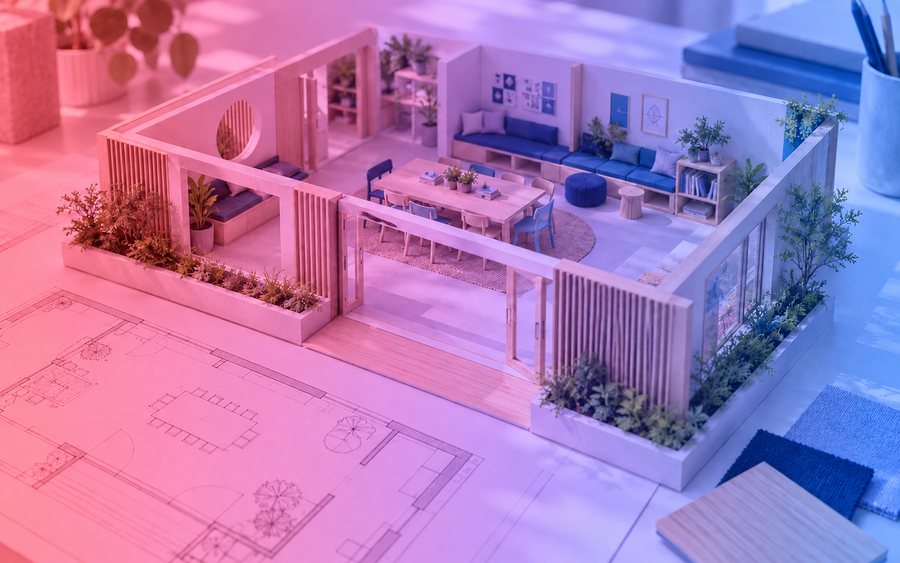
Reimagine a corner of a school, library, clubhouse or community centre as an inclusive place to meet or relax. Consider movement, comfort, materials and how the space will be shared.
10 weeks30 lessons13–14 ages4 checkpoints
A Place to Belong
At a glance

What students make, learn and show.

01

What they make

An annotated scale plan, physical model and simple shared-use plan.

02

What they learn

  • Investigate how different users experience a space and identify barriers to participation.
  • Use scale, layout and material choices to develop a practical spatial concept.
  • Test the model and shared-use rules with intended users, then justify revisions.
03

How it ends

An exhibition or demonstration of the work to an audience, with questions answered and a design rationale given. Each project produces an individual portfolio case-study entry, even when delivery is team-based.

The ten-week plan

Week by week.

Three 50-minute lessons a week. Checkpoints at weeks 2, 4, 6 and 8 keep every team on track; the teacher guide gives each lesson a starter, a main activity and a plenary.

Weeks 1–2
Discover & define
Explore the field and relevant career roles; research users, study precedents and agree a focused brief for A Place to Belong.
Checkpoint 1 · agreed brief
Weeks 3–4
Develop
Generate and critique alternatives; practise the visual and technical skills the brief needs; select a concept against the brief.
Checkpoint 2 · selected concept
Weeks 5–6
Make
Build the physical, digital or service prototype. Review feasibility, accessibility and responsible use of materials and tools.
Checkpoint 3 · prototype
Weeks 7–8
Test & refine
Gather user evidence, identify weaknesses and improve the work. Record what changed and why.
Checkpoint 4 · user evidence
Week 9
Prepare
Resolve the deliverable, curate the process evidence and rehearse a clear design rationale.
Rehearsal with feedback
Week 10
Present & reflect
Exhibit or demonstrate the work, answer questions, and complete an individual portfolio reflection. Every project becomes a portfolio case study.
Exhibition · assessment submitted

Lesson-by-lesson sequence illustrative, from the programme arc, until the teacher guide is supplied.

Lesson preview

See one lesson in full.

Every lesson in the teacher guide follows the same shape: what students should be able to do by the end, a starter, a main activity, a plenary, and the resources to run it. This one is open to everyone.

Request trial access to open the full lesson →

Week 2 · Lesson 4Writing a brief you can design to
By the end, students canWrite a focused design brief that names the user, the need, the constraints and the success criteria, from their own research.
Starter · 10 minTwo briefs for the same product, one vague. Teams identify what the vague one leaves the designer guessing.
Main · 30 minTeams turn observations and interview notes into a one-page brief using the brief template, then swap with another team to test whether it could be designed from.
Plenary · 10 minEach team states its success criteria in one sentence. Recorded in the design journal.
ResourcesSlides · brief template · research summary sheet · journal prompt · teacher notes on consent
Assessment

Four parts. Same model every project.

Each part has its own criteria and rubric in the teacher guide. Judge students at each checkpoint and at the showcase on the tracker, so the evidence is complete when the project ends.

35%
Design deliverable
Response to the brief, craft, coherence and usability of the finished work.
25%
Presentation + Q&A
A clear rationale, demonstration of the work and response to critique.
20%
User evidence
Appropriate research, testing and evidence-led refinement.
20%
Design journal
Concept development, individual contribution, reflection and AI and asset records.
Rubric, criteria, checkpoint tasks and the class tracker are in the teacher pack, mapped to the frameworks you report against.How assessment works on Campus →
In the teacher pack
  • Teacher guide: 30 lesson plans with starter, main and plenary
  • Lesson slides and technique demonstrations
  • Student materials and checkpoint tasks
  • Assessment rubric, criteria and checkpoint tracker
  • Brief, consent and AI/asset record templates
  • Portfolio case-study template
Standards & streams
Secondary SubjectMapped to NCAS Visual and Media Arts (US), ACARA v9 Design and Technologies and Visual and Media Arts (Australia), KS3 and GCSE Design & Technology and Art & Design (UK). Criterion references to follow
CambridgeAdapted to IGCSE Design & Technology and Art & Design
IBAdapted to IB MYP Design

Full curriculum alignment →

Responsible AI & data

Students use educator-approved AI tools only. No identifiable personal data about participants is entered into AI tools; consent is obtained for research and publication; AI assistance is recorded alongside students’ own decisions. The teacher guide sets out the tool-approval and data rules for this project.

Teach this project

Start with a free trial.

A 7-day free trial opens one full project for the year group you teach, on screen, and lets you browse the rest, including A Place to Belong. A Teacher licence unlocks the downloads: $179 a year for all four year groups, or $17.99 a month for the year group you teach. Next term’s project opens four weeks early so you can plan.

Start a free trial
Book a demo

A school email address is required to register.

Related projects

Where this project leads.

Browse all 32 projects →